
Every quick fix steals speed later. Stop patching your portal with duct tape and start designing systems that scale. 51 ready-to-build workflows with flow diagrams - Sales, Marketing, Service, and Ops.
Free. No credit card. Instant PDF download.
Trusted by teams at










"Hubjoy has been an invaluable partner for Klue. Their deep knowledge of HubSpot and flexible support transformed what began as a short-term engagement into a thriving, ongoing partnership."
"Hubjoy's expertise, transparent pricing, and fast turnaround times have levelled-up our RevOps. The ability to offload menial HubSpot tasks has given me the freedom to focus on strategy and growth."
"For the first time, leadership can make decisions based on data instead of assumptions. Hubjoy gave us a HubSpot we can actually trust."
Takes 30 seconds. Instant PDF download.
At some point, duct tape stops working. These are the signs it already has.
What started as a quick fix six months ago is now causing three new problems. Every "temporary" process is still happening every single week.
You spend hours reconciling data instead of improving operations. Reports need manual cleanup. Dashboards need explaining. Forecasts turn into debates.
You're afraid of what will break when you add more volume. Every new workflow feels like a potential problem instead of a win. The system needs you to babysit it.
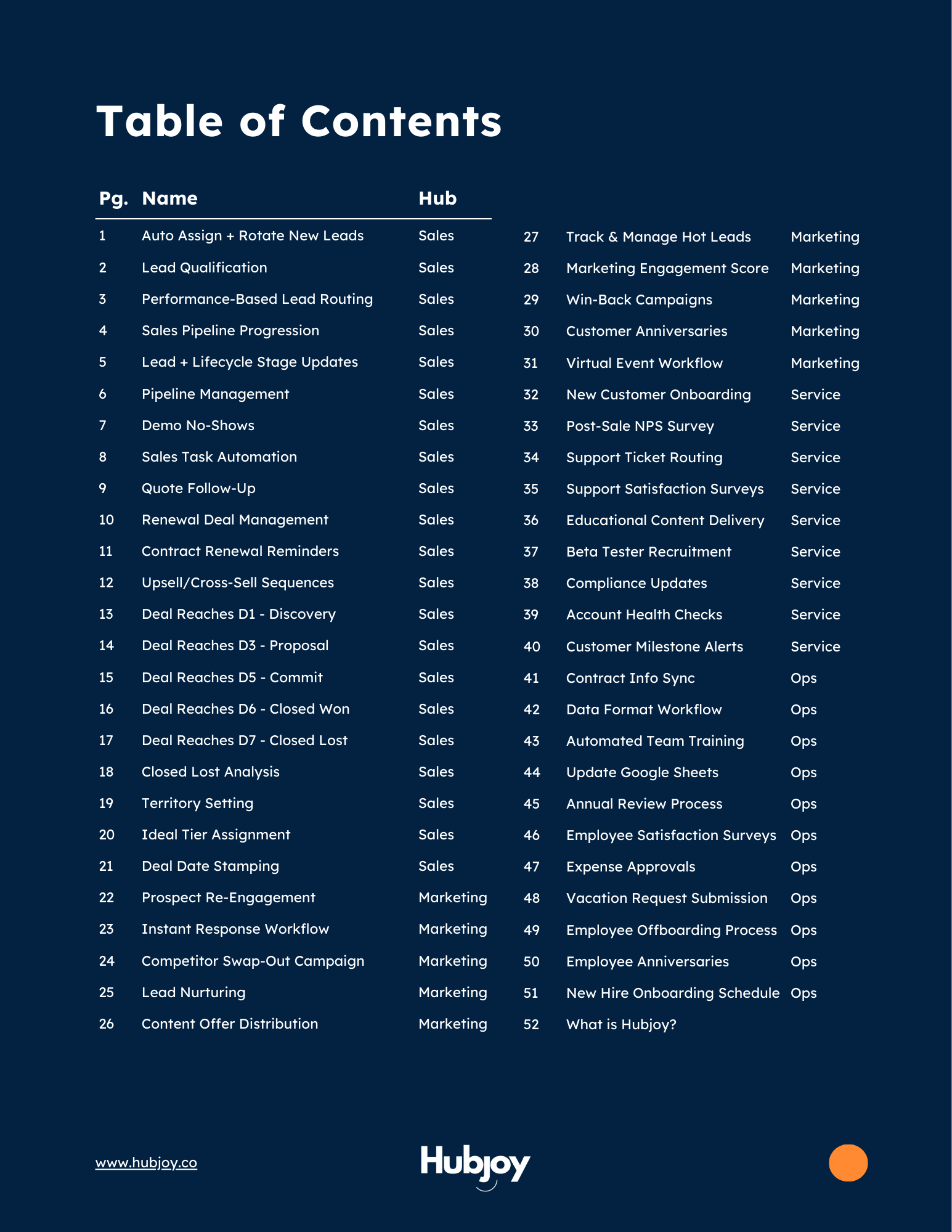
51 templates organized by HubSpot hub. Each one includes a description, a visual flow diagram, and the hub required to build it. Zero manual work once they're live.
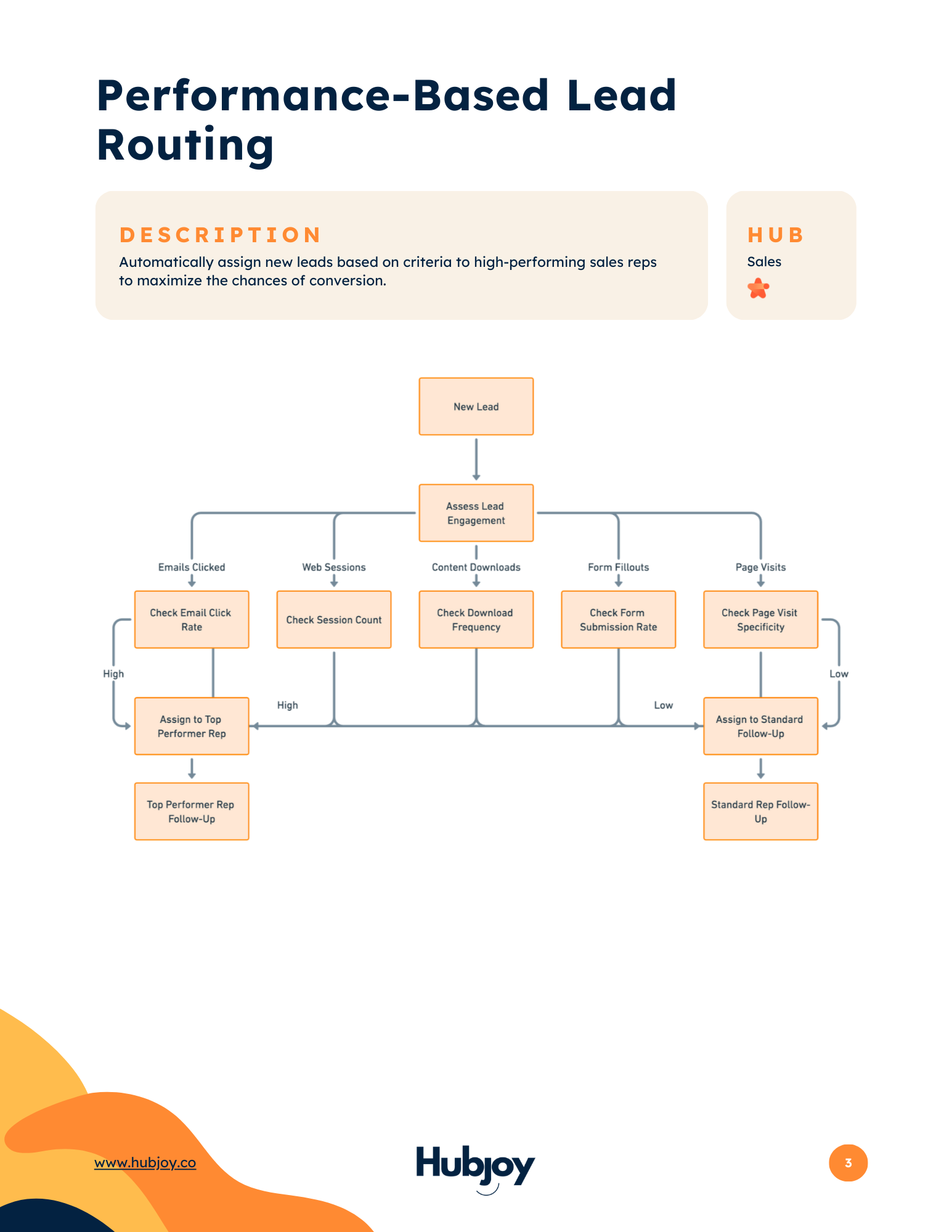
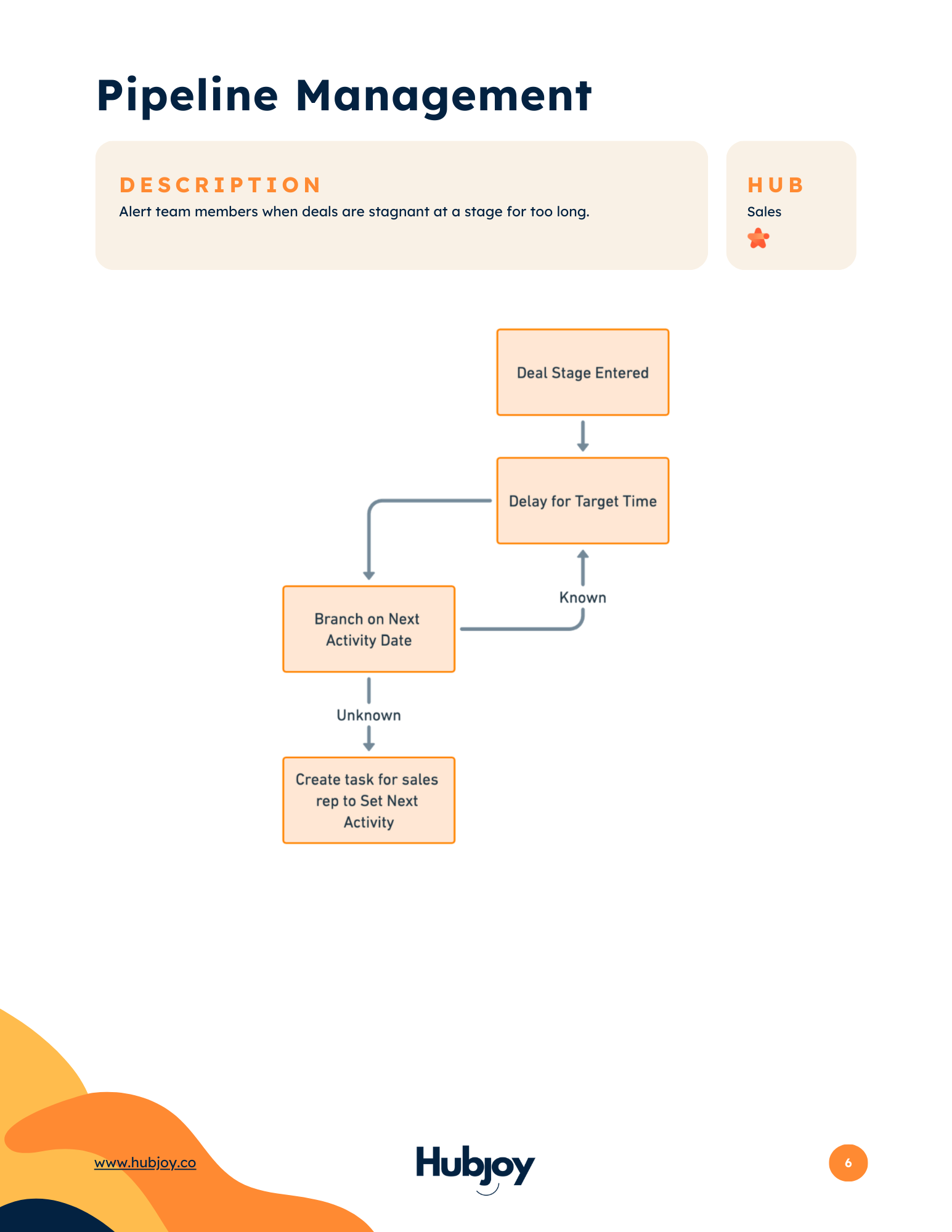
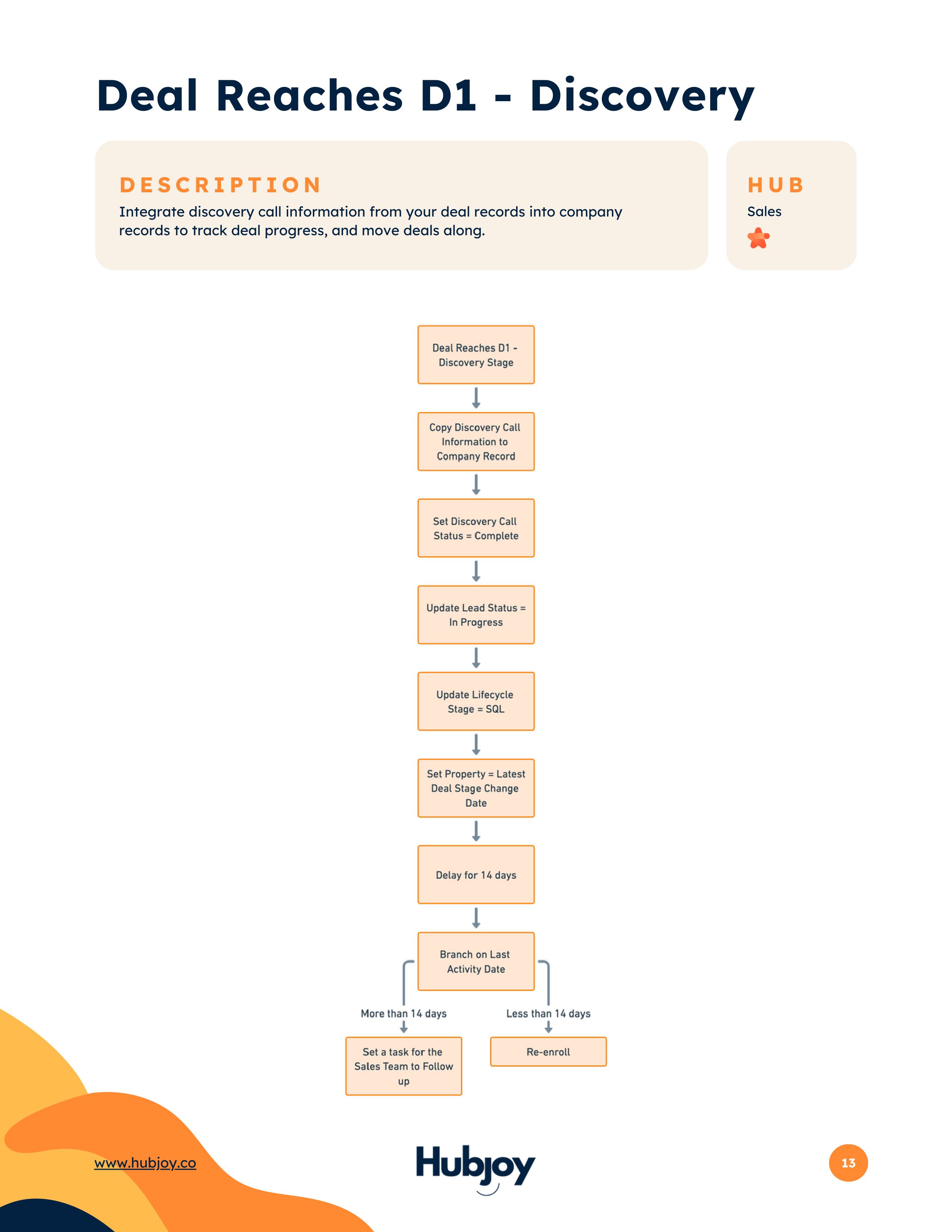
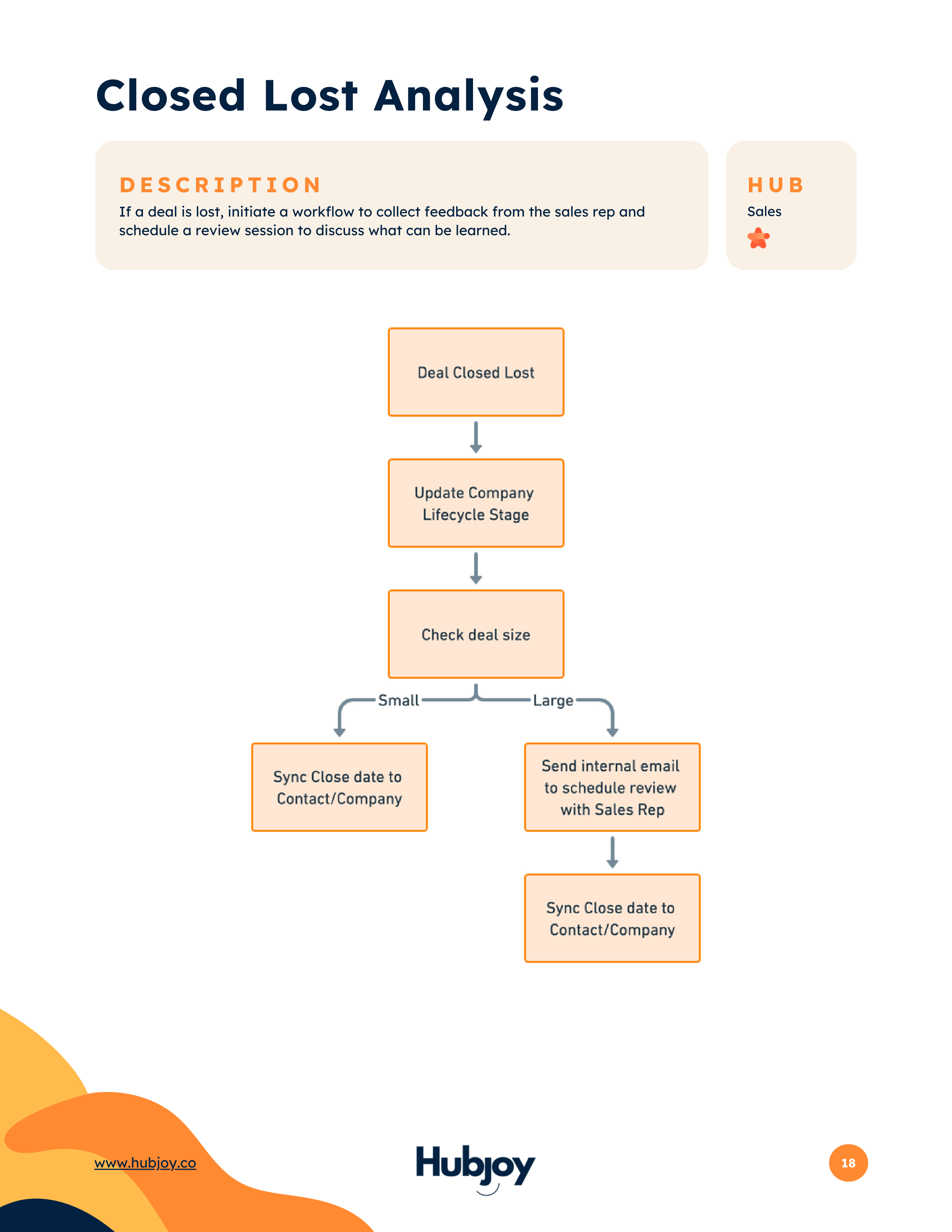
Not just descriptions. Each workflow includes a visual map showing exactly how to build it in HubSpot - triggers, branches, actions, and all.


Hi, I'm Matt.
I've been inside dozens of HubSpot portals over the past few years. The pattern is almost always the same: the system worked fine at lower volume because people filled in the gaps. Then growth happened, and every quick fix became tomorrow's mess.
Duct tape everywhere. Lifecycle stages that don't mean what leadership thinks. Workarounds that only two people understand. "Temporary" manual processes that are still happening a year later. You spend more time reconciling data than improving operations.
Growth didn't fail. The design just aged poorly. And the longer you wait to address it, the more expensive it gets. Next quarter you'll fix the workflows. Next quarter you'll rebuild the lifecycle stages. But next quarter never comes.
That is why we built this guide. 51 workflow templates for eliminating human workarounds in HubSpot, organized by hub, each with a visual flow diagram that shows you exactly what to set up.
Here is what you will walk away with:
You do not need every workflow. Most teams find 5-10 that would make an immediate difference. Pick the ones that match your biggest bottleneck, build them this week, and watch what happens when your HubSpot actually runs itself.
The guide is free. We built it because the teams that automate well end up being the teams that call us to build even more. Give away the secrets, right?
Grab it. Build something. If you get stuck or want a second opinion on your setup, that is what we are here for.
Matt Stefan
Founder, Hubjoy
Fill out the quick form above and get the full 51-workflow guide delivered instantly. Takes 30 seconds.
Scan the table of contents. Find the 5 workflows that match your biggest bottleneck right now.
Follow the flow diagrams step by step. Most workflows take 15-30 minutes to set up in HubSpot.
Free. No credit card. Takes 30 seconds.
Every workaround you keep running is a bet that your team will never miss a step. Here is what we see in portals that put off the redesign:
This is not a platform problem. HubSpot can handle this stage of growth. The system just needs to stop being patched and start being designed.
Completely free. No credit card, no trial, no strings. We built this guide because the teams that automate well tend to be the ones that call us later when they want to go further. The guide is the whole product.
Most of the 51 workflows work on Professional or higher. A handful require Enterprise features (like custom objects or advanced automation), and each template tells you exactly which hub and tier you need before you start building.
Yes. Every workflow comes with a visual flow diagram showing the exact triggers, branches, and actions. If you can navigate HubSpot's workflow builder, you can follow along. Most take 15-30 minutes to set up.
That's actually where teams get the most value. Most portals have 5-10 workflows but are missing the ones that connect the gaps between Sales, Marketing, and Service. The guide helps you see what's missing.
HubSpot's docs teach you how the tool works. This guide tells you what to build with it. Each template is a real workflow we've built across dozens of portals, with the flow diagram already mapped out for you.
51 workflow templates for eliminating human workarounds in HubSpot. Free PDF with flow diagrams for every single one.
Yes! Give Me the 51 Free WorkflowsTakes 30 seconds. Instant PDF. No credit card, no sales pitch.